Import Contacts from vCard
You can export your groups directly from iCloud.com/contacts and share the vCard with your colleague. You can follow the guide below on how to get it done.
Export Groups from iCloud
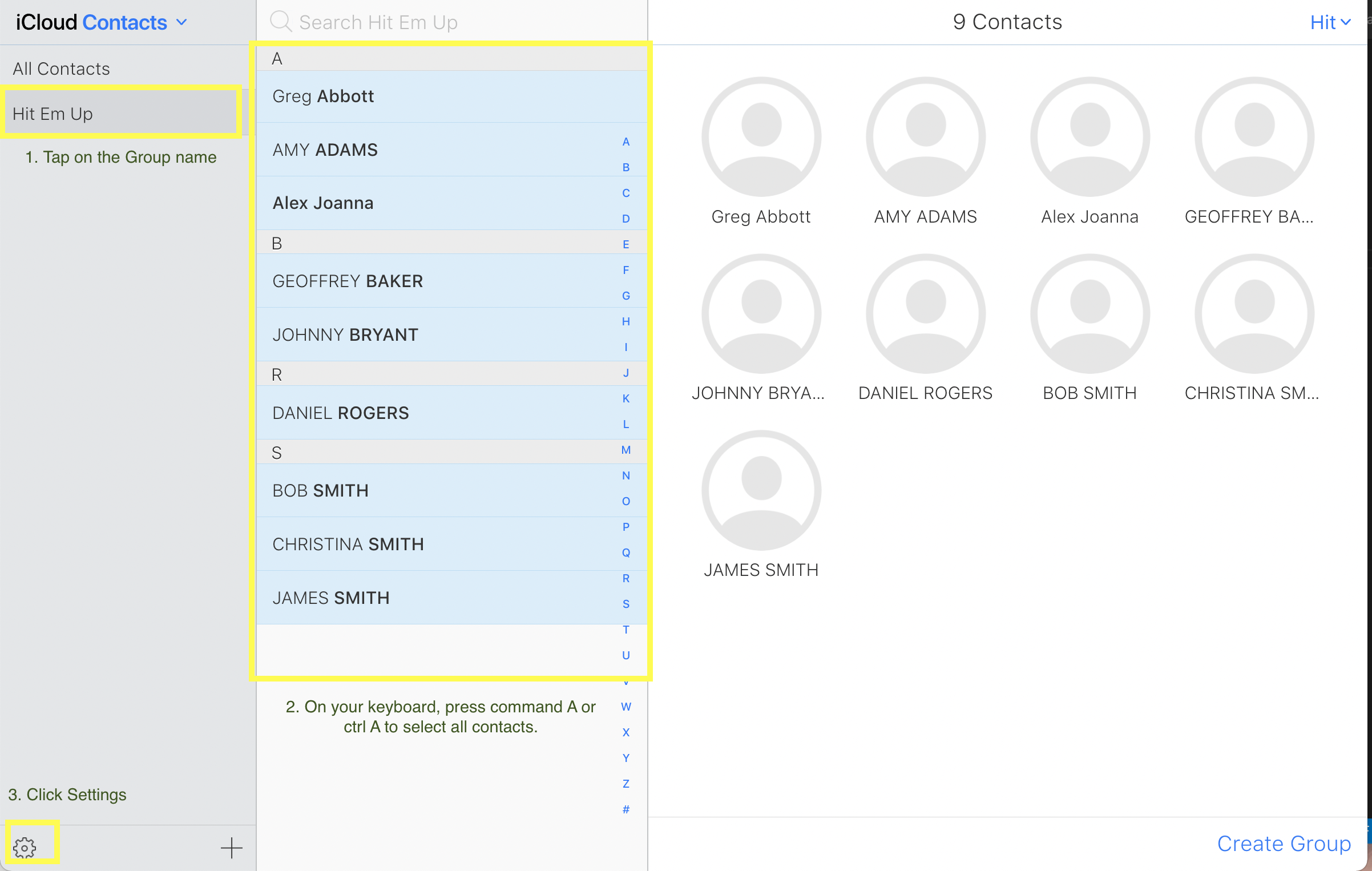
- Tap on the Group name.
- Click on command A or CTRL A to select all contacts.
- Click on the gear icon or Settings
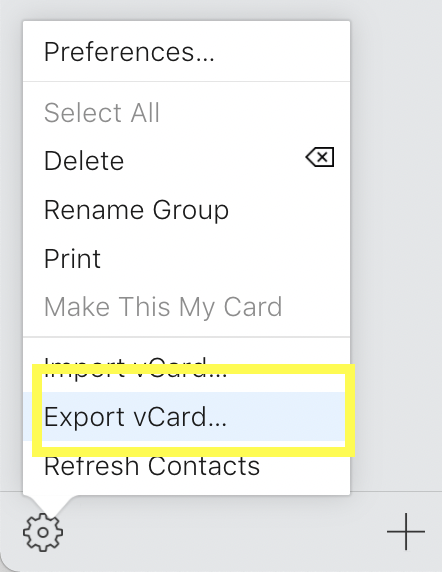
- Click Export vCard.
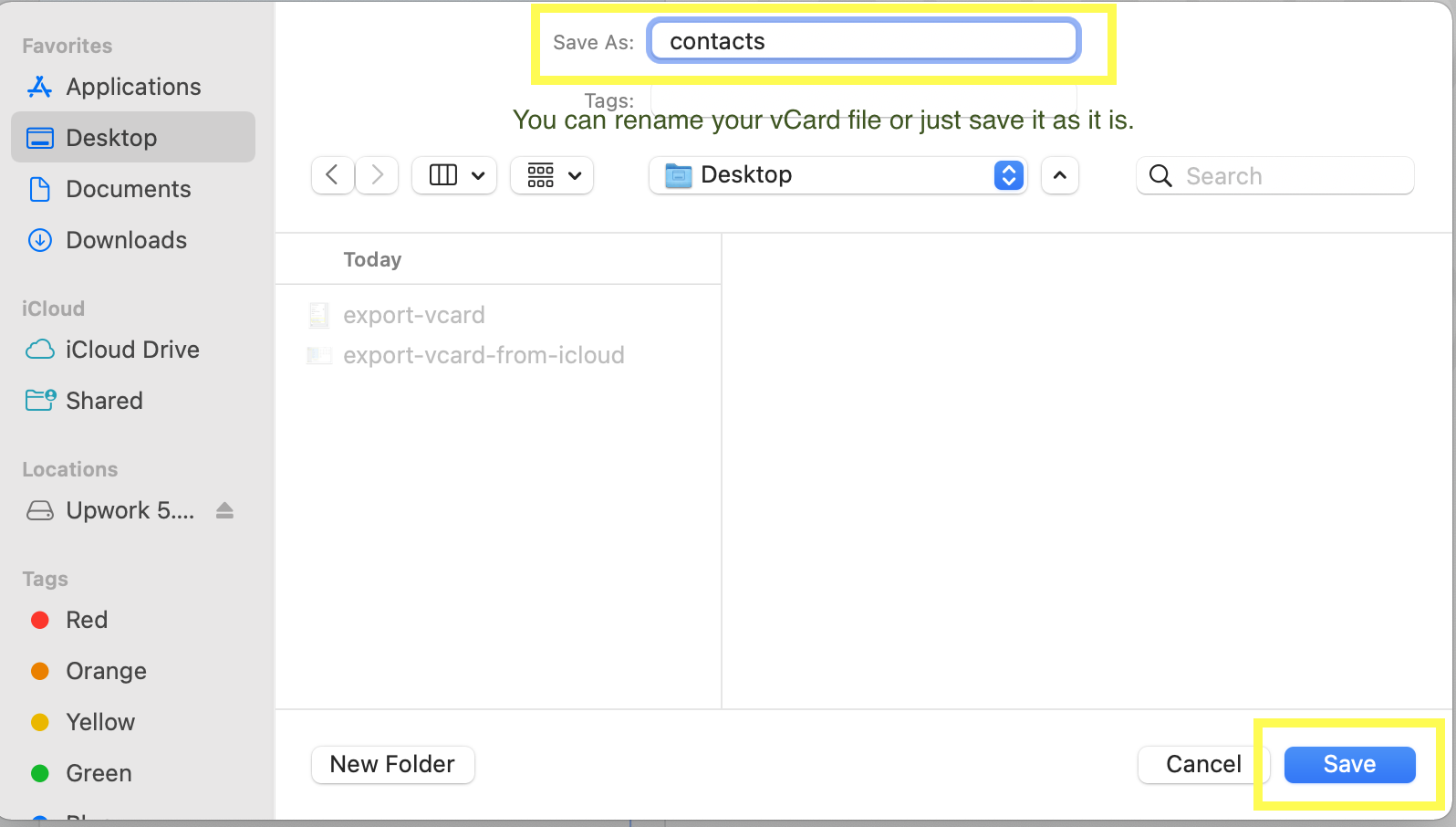
- Rename your vCard file or just save it as it is. Click Save.
You can then send the VCF file to your colleague so they can import them to iCloud.
Import Groups to iCloud
- Access iCloud.com/contacts.
- Click on the + sign and select New Group.
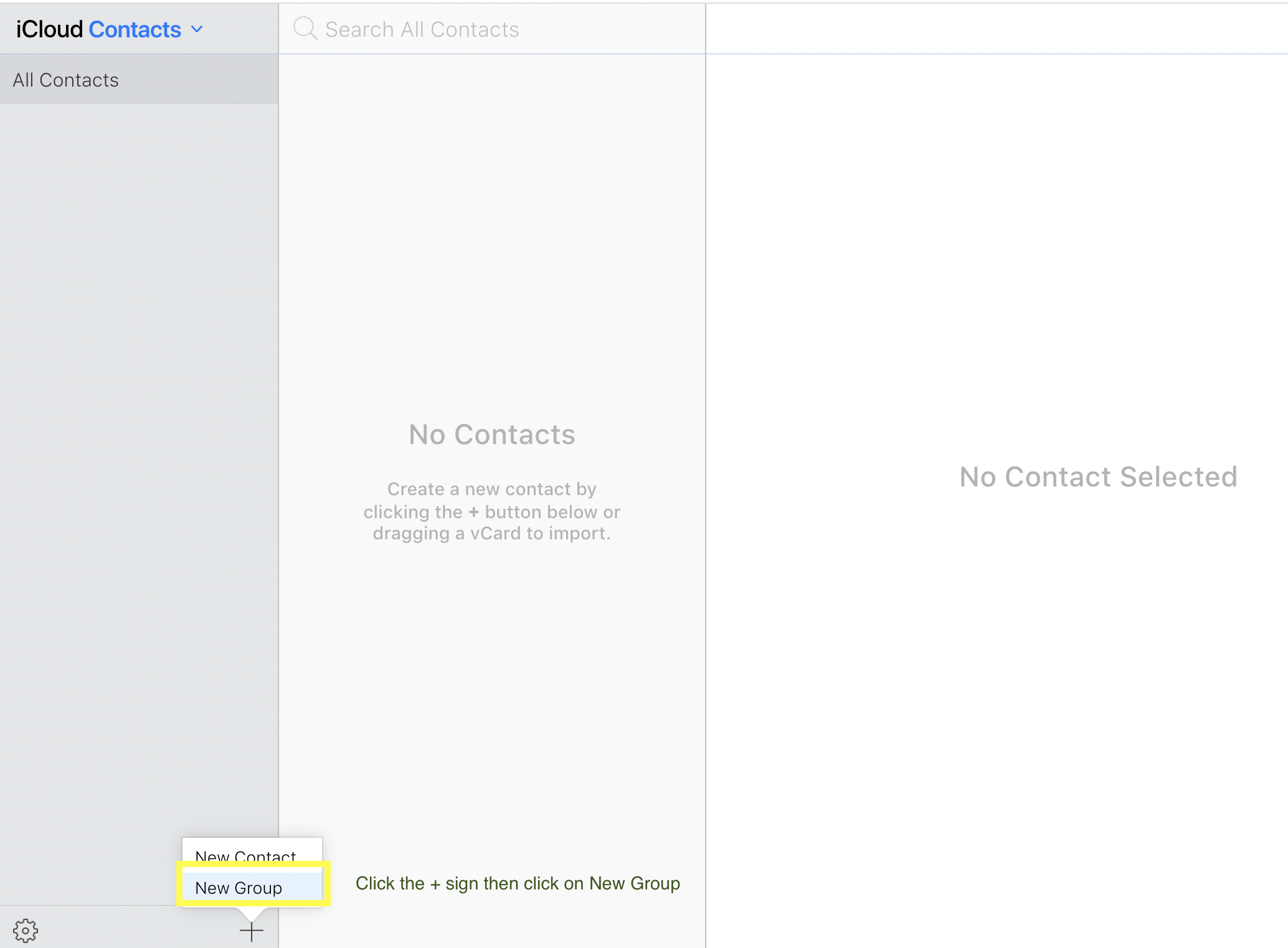
- Give your new group a name then drag the VCF file into the new empty group tab.
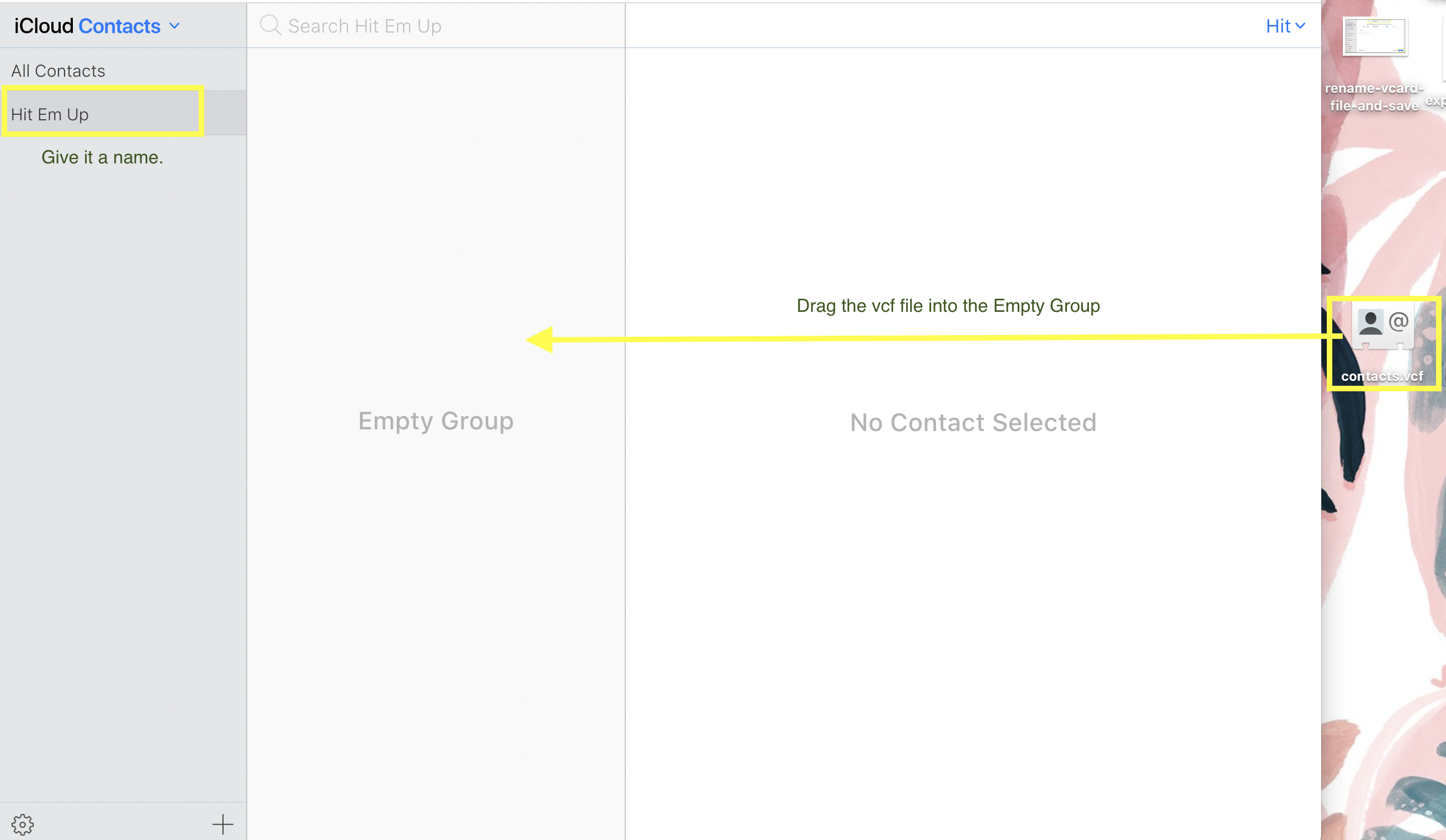
- It will appear in your Hit Em Up after it syncs.
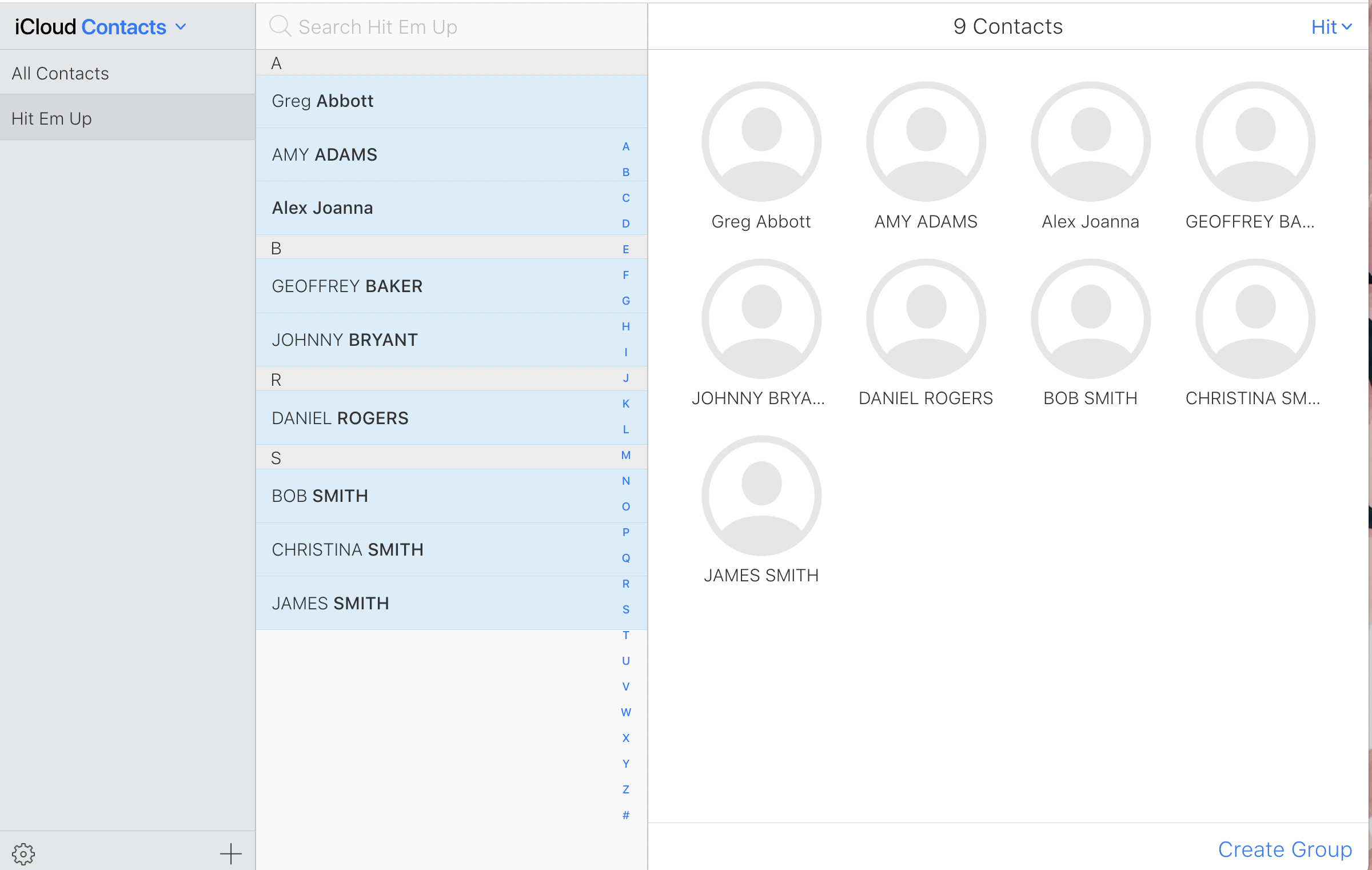
That's it! :)